


Page 58 - LIT-18626-13-43
P. 58
UF4N11E0.book  Page 50  Wednesday, July 21, 2021  2:21 PM


                        Instrument operation

                                                              EJU45941
                                               1                 Multifunction information
                                                                    center (VX DELUXE /
                                                                VX CRUISER / VX LIMITED)
                                                              The multifunction information center displays
                                                              various watercraft information.
                                                              The multifunction information center can turn
                                                              the various functions on or off or change set-
                                                              tings by using the d-pad of the  touchpad
                                                              control.
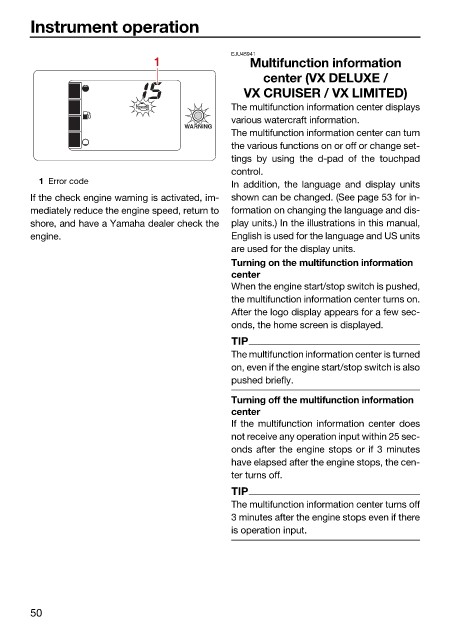
                          1 Error code
                                                              In addition, the language and display units
                        If the check engine warning is activated, im-  shown can be changed. (See page 53 for in-
                        mediately reduce the engine speed, return to  formation on changing the language and dis-
                        shore, and have a Yamaha dealer check the  play units.) In the illustrations in this manual,
                        engine.                               English is used for the language and US units
                                                              are used for the display units.
                                                              Turning on the multifunction information
                                                              center
                                                              When the engine start/stop switch is pushed,
                                                              the multifunction information center turns on.
                                                              After the logo display appears for a few sec-
                                                              onds, the home screen is displayed.
                                                              TIP
                                                              The multifunction information center is turned
                                                              on, even if the engine start/stop switch is also
                                                              pushed briefly.

                                                              Turning off the multifunction information
                                                              center
                                                              If the multifunction information center does
                                                              not receive any operation input within 25 sec-
                                                              onds after the engine stops or if 3 minutes
                                                              have elapsed after the engine stops, the cen-
                                                              ter turns off.
                                                              TIP
                                                              The multifunction information center turns off
                                                              3 minutes after the engine stops even if there
                                                              is operation input.


                        50

