Page 55 - LIT-18626-13-95
P. 55

UF4M13E0.book  Page 48  Tuesday, July 19, 2022  2:01 PM


                                                                 Instrument operation


                              Item          Description
                                       Shows the hours of engine
                                       operation that have
                            Trip time*                                      Settings
                                       elapsed since the item
                                       was last reset.
                                                                  PIN Settings      Language
                                       Shows the distance trav-
                          Distance trav-  eled by the watercraft
                              eled*    since the item was last re-    Unit          Wellness
                                       set.
                                                                             Reset
                                       Shows the total hours of
                           Total engine   engine operation that have
                             hours     elapsed since the water-
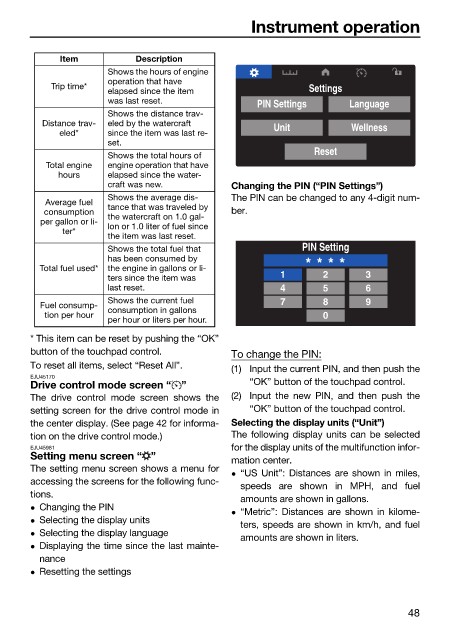
                                       craft was new.         Changing the PIN (“PIN Settings”)
                                       Shows the average dis-  The PIN can be changed to any 4-digit num-
                           Average fuel   tance that was traveled by
                           consumption   the watercraft on 1.0 gal-  ber.
                          per gallon or li-  lon or 1.0 liter of fuel since
                              ter*
                                       the item was last reset.
                                       Shows the total fuel that           PIN Setting
                                       has been consumed by
                          Total fuel used*  the engine in gallons or li-   * * * *
                                       ters since the item was         1       2       3
                                       last reset.                     4       5       6
                                       Shows the current fuel          7       8       9
                          Fuel consump-  consumption in gallons
                           tion per hour                                       0
                                       per hour or liters per hour.
                        * This item can be reset by pushing the “OK”
                        button of the touchpad control.       To change the PIN:
                        To reset all items, select “Reset All”.  (1) Input the current PIN, and then push the
                        EJU45170                                 “OK” button of the touchpad control.
                        Drive control mode screen “ ”
                        The drive control mode screen  shows the  (2) Input  the  new PIN, and then push the
                        setting screen for the drive control mode in  “OK” button of the touchpad control.
                        the center display. (See page 42 for informa-  Selecting the display units (“Unit”)
                        tion on the drive control mode.)      The following display units can be selected
                        EJU45981                              for the display units of the multifunction infor-
                        Setting menu screen “ ”               mation center.
                        The setting menu screen shows a menu for
                                                               “US Unit”: Distances are shown in miles,
                        accessing the screens for the following func-
                                                               speeds  are  shown in MPH, and  fuel
                        tions.
                                                               amounts are shown in gallons.
                         Changing the PIN
                                                               “Metric”: Distances  are shown in  kilome-
                         Selecting the display units
                                                               ters, speeds are shown in km/h, and fuel
                         Selecting the display language
                                                               amounts are shown in liters.
                         Displaying the time since the last mainte-
                          nance
                         Resetting the settings
                                                                                               48
   50   51   52   53   54   55   56   57   58   59   60