


Page 62 - LIT-18626-14-62
P. 62
UF4N13E0.book Page 54 Tuesday, June 6, 2023 9:38 AM
Instrument operation
Settings Unit
PIN Settings Language
Metric
Unit Wellness
US Unit
Reset
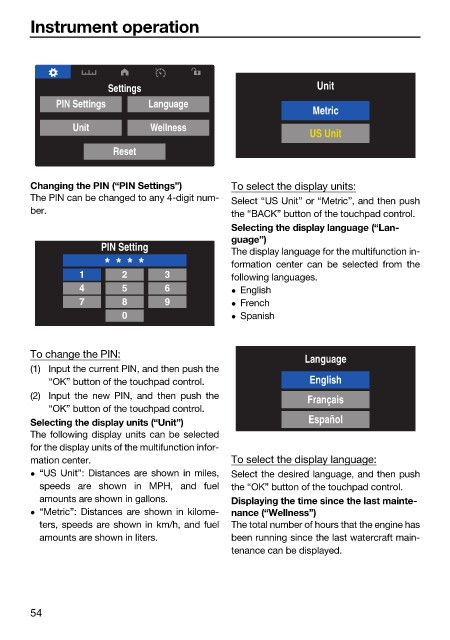
Changing the PIN (“PIN Settings”) To select the display units:
The PIN can be changed to any 4-digit num- Select “US Unit” or “Metric”, and then push
ber. the “BACK” button of the touchpad control.
Selecting the display language (“Lan-
guage”)
PIN Setting
The display language for the multifunction in-
* * * * formation center can be selected from the
1 2 3 following languages.
4 5 6 English
7 8 9 French
0 Spanish
To change the PIN:
Language
(1) Input the current PIN, and then push the
“OK” button of the touchpad control. English
(2) Input the new PIN, and then push the
Français
“OK” button of the touchpad control.
Selecting the display units (“Unit”) Español
The following display units can be selected
for the display units of the multifunction infor-
mation center. To select the display language:
“US Unit”: Distances are shown in miles, Select the desired language, and then push
speeds are shown in MPH, and fuel the “OK” button of the touchpad control.
amounts are shown in gallons. Displaying the time since the last mainte-
“Metric”: Distances are shown in kilome- nance (“Wellness”)
ters, speeds are shown in km/h, and fuel The total number of hours that the engine has
amounts are shown in liters. been running since the last watercraft main-
tenance can be displayed.
54

