


Page 86 - LIT-18626-15-21
P. 86
UF7K11E0.book Page 74 Monday, June 17, 2024 7:03 PM
Instrument operation
Voice command button
Activates the voice command function.
TIP Voice Command
See page 74 for more information on voice 00:00:00
command function.
1
Play/Pause button
Press this button to play or pause.
1 Hang up button
Cursor button “ / ”
Press these buttons to skip to the previous or TIP
next track. Voice commands may not be available de-
Cursor button “ / ” pending on the device connected to the wa-
Press these buttons to adjust the volume. tercraft.
TIP
Playing music may stop to save power to
start the engine.
See page 64 for how to connect watercraft
to your device via Bluetooth.
EJU46951
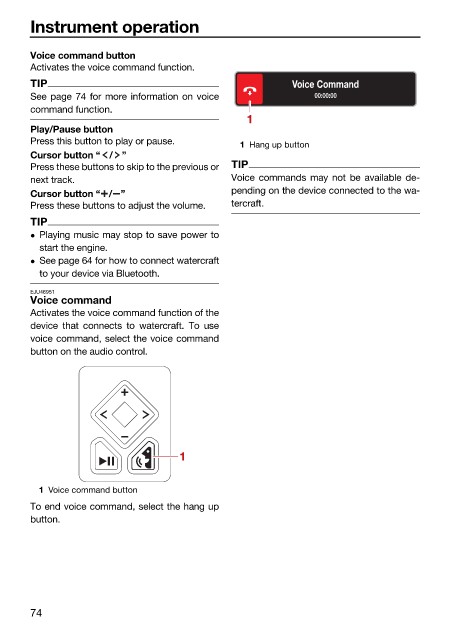
Voice command
Activates the voice command function of the
device that connects to watercraft. To use
voice command, select the voice command
button on the audio control.
1
1 Voice command button
To end voice command, select the hang up
button.
74

