


Page 58 - LIT-18626-13-97
P. 58
UF4N12E0.book  Page 50  Thursday, July 14, 2022  10:42 AM


                        Instrument operation

                                                              EJU45943
                                               1                 Multifunction information
                                                                    center (VX DELUXE /
                                                                VX CRUISER / VX LIMITED)
                                                              The multifunction information center displays
                                                              various watercraft information.
                                                              The multifunction information center can turn
                                                              the various functions on or off or change set-
                                                              tings by using the d-pad of the  touchpad
                                                              control.
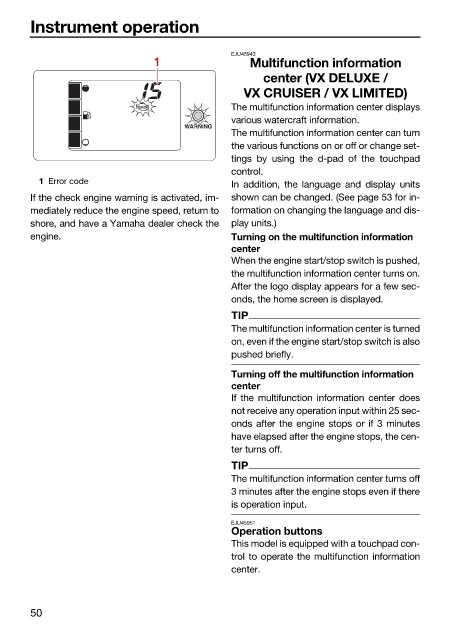
                          1 Error code
                                                              In addition, the language and display units
                        If the check engine warning is activated, im-  shown can be changed. (See page 53 for in-
                        mediately reduce the engine speed, return to  formation on changing the language and dis-
                        shore, and have a Yamaha dealer check the  play units.)
                        engine.                               Turning on the multifunction information
                                                              center
                                                              When the engine start/stop switch is pushed,
                                                              the multifunction information center turns on.
                                                              After the logo display appears for a few sec-
                                                              onds, the home screen is displayed.
                                                              TIP
                                                              The multifunction information center is turned
                                                              on, even if the engine start/stop switch is also
                                                              pushed briefly.
                                                              Turning off the multifunction information
                                                              center
                                                              If the multifunction information center does
                                                              not receive any operation input within 25 sec-
                                                              onds after the engine stops or if 3 minutes
                                                              have elapsed after the engine stops, the cen-
                                                              ter turns off.
                                                              TIP
                                                              The multifunction information center turns off
                                                              3 minutes after the engine stops even if there
                                                              is operation input.
                                                              EJU45951
                                                              Operation buttons
                                                              This model is equipped with a touchpad con-
                                                              trol to operate the multifunction information
                                                              center.


                        50

