


Page 62 - LIT-18626-13-38
P. 62
UF3X13E0.book Page 53 Tuesday, September 28, 2021 12:57 PM
Instrument operation
(2) Enter the name of the waypoint.
(3) Select “Save”. AKA
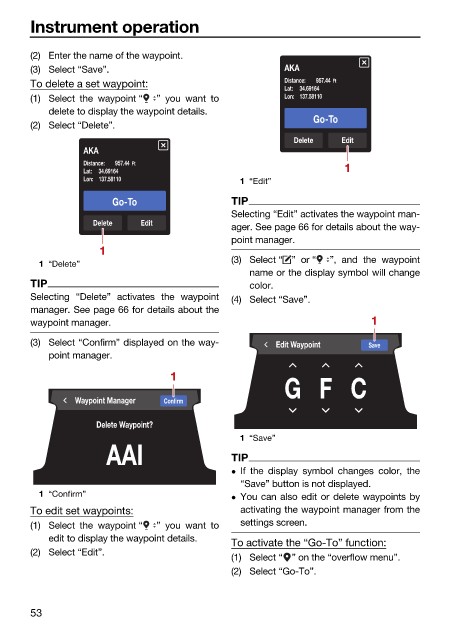
To delete a set waypoint: Distance: 957.44 Ft
Lat: 34.69164
(1) Select the waypoint “ ” you want to Lon: 137.58110
delete to display the waypoint details.
Go-To
(2) Select “Delete”.
Delete Edit
AKA
Distance: 957.44 Ft
Lat: 34.69164 1
Lon: 137.58110 1 “Edit”
Go-To TIP
Selecting “Edit” activates the waypoint man-
Delete Edit
ager. See page 66 for details about the way-
point manager.
1
(3) Select “ ” or “ ”, and the waypoint
1 “Delete”
name or the display symbol will change
TIP color.
Selecting “Delete” activates the waypoint (4) Select “Save”.
manager. See page 66 for details about the
waypoint manager. 1
(3) Select “Confirm” displayed on the way- Edit Waypoint Save
point manager.
1
G F C
Waypoint Manager Confirm
Delete Waypoint?
1 “Save”
AAI TIP
If the display symbol changes color, the
“Save” button is not displayed.
1 “Confirm” You can also edit or delete waypoints by
To edit set waypoints: activating the waypoint manager from the
(1) Select the waypoint “ ” you want to settings screen.
edit to display the waypoint details.
To activate the “Go-To” function:
(2) Select “Edit”.
(1) Select “ ” on the “overflow menu”.
(2) Select “Go-To”.
53

