


Page 56 - LIT-18626-13-94
P. 56
UF4P13E0.book Page 49 Thursday, July 14, 2022 10:30 AM
Instrument operation
Wellness
Unit
Time Since Last Maintenance
Metric
0Hrs
US Unit Reset
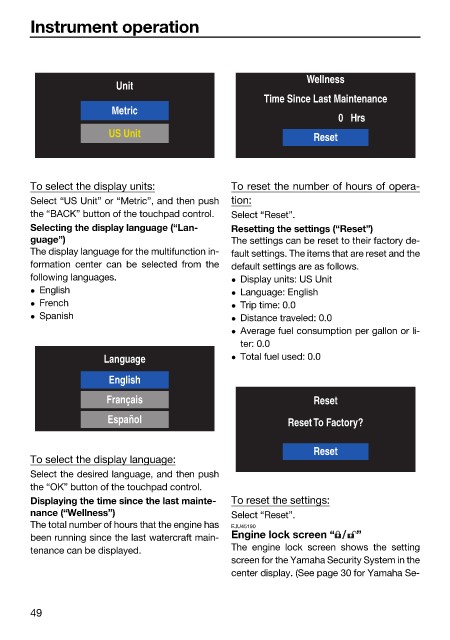
To select the display units: To reset the number of hours of opera-
Select “US Unit” or “Metric”, and then push tion:
the “BACK” button of the touchpad control. Select “Reset”.
Selecting the display language (“Lan- Resetting the settings (“Reset”)
guage”) The settings can be reset to their factory de-
The display language for the multifunction in- fault settings. The items that are reset and the
formation center can be selected from the default settings are as follows.
following languages. Display units: US Unit
English Language: English
French Trip time: 0.0
Spanish Distance traveled: 0.0
Average fuel consumption per gallon or li-
ter: 0.0
Language Total fuel used: 0.0
English
Français Reset
Español Reset To Factory?
Reset
To select the display language:
Select the desired language, and then push
the “OK” button of the touchpad control.
Displaying the time since the last mainte- To reset the settings:
nance (“Wellness”) Select “Reset”.
The total number of hours that the engine has EJU45190
been running since the last watercraft main- Engine lock screen “ ”
tenance can be displayed. The engine lock screen shows the setting
screen for the Yamaha Security System in the
center display. (See page 30 for Yamaha Se-
49

