Page 70 - LIT-18626-15-20
P. 70

UF3X16E0.book  Page 58  Wednesday, July 17, 2024  9:11 AM


                        Instrument operation

                                                              EJU46722
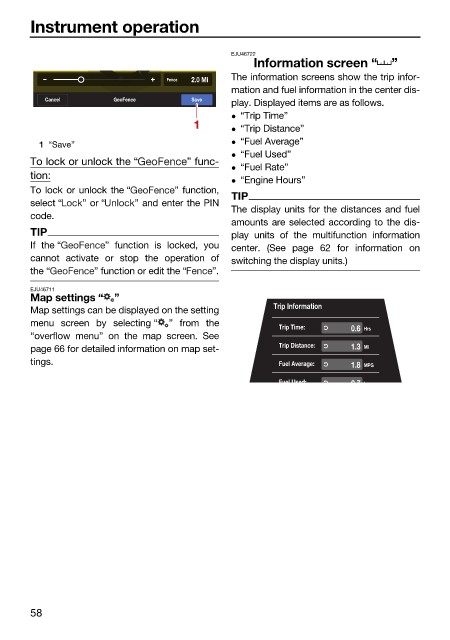
                                                                  Information screen “      ”
                                         W W      Fence  2.0 Mi  The information screens show the trip infor-
                                                              mation and fuel information in the center dis-
                           Cancel       GeoFence      Save
                                                              play. Displayed items are as follows.
                                                               “Trip Time”
                                                       1       “Trip Distance”
                          1 “Save”                             “Fuel Average”
                                                               “Fuel Used”
                        To lock or unlock the “      ” func-
                                                               “Fuel Rate”
                        tion:
                                                               “Engine Hours”
                        To lock or unlock the “    ” function,
                                                              TIP
                        select “  ” or “    ” and enter the PIN
                                                              The display units for the distances and fuel
                        code.
                                                              amounts are selected according to the dis-
                        TIP                                   play units of the multifunction  information
                        If the “      ” function is locked, you  center. (See page 62 for information on
                        cannot activate  or stop the operation of  switching the display units.)
                        the “       ” function or edit the “  ”.
                        EJU46711
                        Map settings “  ”
                        Map settings can be displayed on the setting  Trip Information
                        menu screen by  selecting “  ” from the
                                                                       Trip Time:   0.6 Hrs
                        “overflow menu” on the map screen. See
                        page 66 for detailed information on map set-   Trip Distance:  1.3 Mi
                        tings.                                         Fuel Average:  1.8 MPG

                                                                       Fuel Used:   27 L


                        58
   65   66   67   68   69   70   71   72   73   74   75