


Page 60 - LIT-18626-13-39
P. 60
UF3V13E0.book Page 51 Thursday, September 30, 2021 2:21 PM
Instrument operation
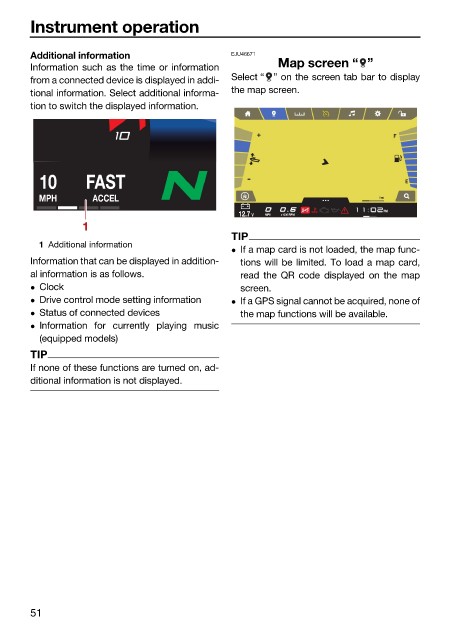
Additional information EJU46671
Information such as the time or information Map screen “ ”
from a connected device is displayed in addi- Select “ ” on the screen tab bar to display
tional information. Select additional informa- the map screen.
tion to switch the displayed information.
10 FAST
MPH ACCEL 1 mi
PM
12.7 V MPH x1000 RPM
MPH
1
TIP
1 Additional information
If a map card is not loaded, the map func-
Information that can be displayed in addition- tions will be limited. To load a map card,
al information is as follows. read the QR code displayed on the map
Clock screen.
Drive control mode setting information If a GPS signal cannot be acquired, none of
Status of connected devices the map functions will be available.
Information for currently playing music
(equipped models)
TIP
If none of these functions are turned on, ad-
ditional information is not displayed.
51

