


Page 67 - LIT-18626-13-39
P. 67
UF3V13E0.book Page 58 Thursday, September 30, 2021 2:21 PM
Instrument operation
EJU46721
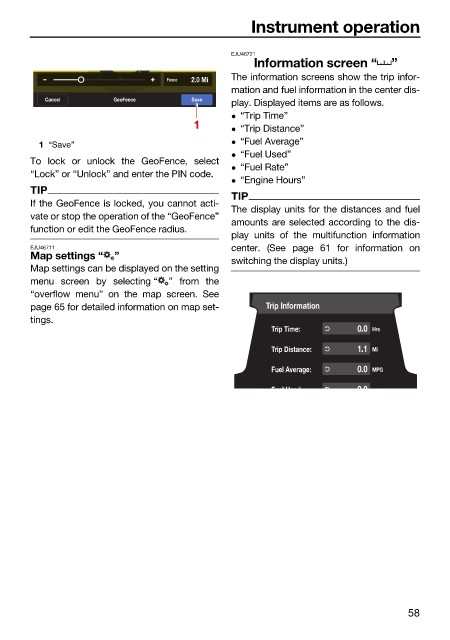
Information screen “ ”
W W Fence 2.0 Mi The information screens show the trip infor-
mation and fuel information in the center dis-
Cancel GeoFence Save
play. Displayed items are as follows.
“Trip Time”
1 “Trip Distance”
“Fuel Average”
1 “Save”
“Fuel Used”
To lock or unlock the GeoFence, select
“Fuel Rate”
“Lock” or “Unlock” and enter the PIN code.
“Engine Hours”
TIP
TIP
If the GeoFence is locked, you cannot acti-
The display units for the distances and fuel
vate or stop the operation of the “GeoFence”
amounts are selected according to the dis-
function or edit the GeoFence radius.
play units of the multifunction information
EJU46711 center. (See page 61 for information on
Map settings “ ”
switching the display units.)
Map settings can be displayed on the setting
menu screen by selecting “ ” from the
“overflow menu” on the map screen. See
page 65 for detailed information on map set- Trip Information
tings.
Trip Time: 0.0 Hrs
Trip Distance: 1.1 Mi
Fuel Average: 0.0 MPG
Fuel Used 00
58

