Page 77 - LIT-18626-14-58
P. 77

UF7K10E0.book  Page 68  Thursday, July 13, 2023  5:40 PM


                                                                 Instrument operation

                         “NAV AIDS”
                        TIP
                        If “TRACKS” is set to hide in the map display  Reset To Factory Settings?
                        settings, the track will not be displayed on the  Resetting to Factory Settings cannot be undone.
                        map screen even if  the  track is set to
                        “Shown”.
                                                                  Cancel                Reset
                        EJU46903
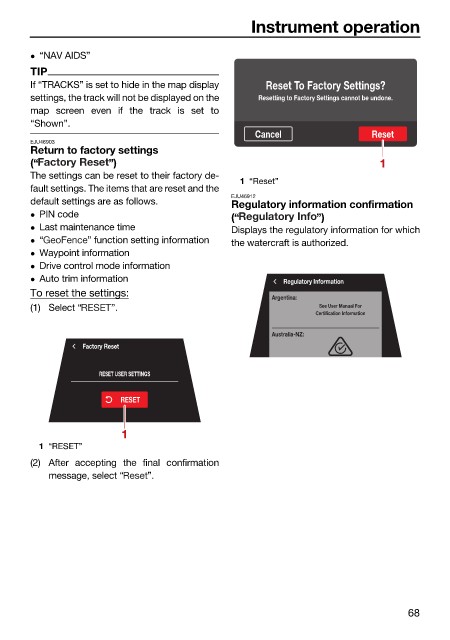
                        Return to factory settings
                        (“             ”)                                                1
                        The settings can be reset to their factory de-
                                                               1 “Reset”
                        fault settings. The items that are reset and the
                                                              EJU46912
                        default settings are as follows.      Regulatory information confirmation
                         PIN code
                                                              (“              ”)
                         Last maintenance time               Displays the regulatory information for which
                         “        ” function setting information  the watercraft is authorized.
                         Waypoint information
                         Drive control mode information
                         Auto trim information                        Regulatory Information
                        To reset the settings:                       Argentina:
                        (1) Select “   ”.                                     See User Manual For
                                                                             Certification Information
                                                                     Australia-NZ:
                                  Factory Reset

                                     RESET USER SETTINGS

                                         RESET


                                         1
                          1 “RESET”
                        (2) After accepting the final confirmation
                            message, select “  ”.


                                                                                               68
   72   73   74   75   76   77   78   79   80   81   82