


Page 77 - LIT-18626-15-20
P. 77
UF3X16E0.book  Page 65  Wednesday, July 17, 2024  9:11 AM


                                                                 Instrument operation


                                  Bluetooth Devices                    Devices


                                      Connected

                                      No New Notifications


                        TIP                                   TIP
                        To display information on incoming calls re-  When  Bluetooth  communication
                        ceived by a connected device, see page 49.  starts, “  ” is displayed.
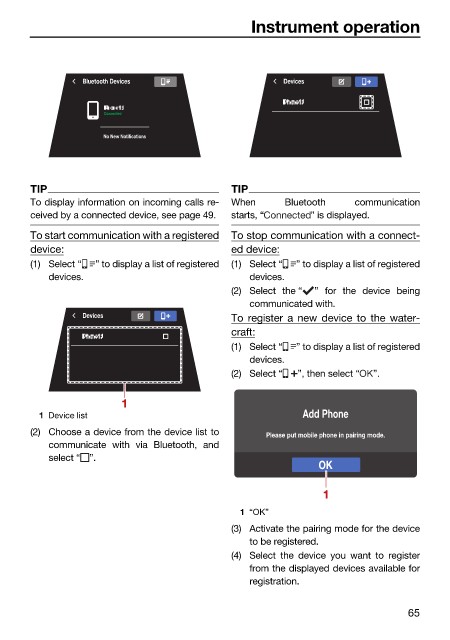
                        To start communication with a registered  To stop communication with a connect-
                        device:                               ed device:
                        (1) Select “  ” to display a list of registered  (1) Select “  ” to display a list of registered
                            devices.                             devices.
                                                              (2) Select the “  ” for the device being
                                                                 communicated with.
                                  Devices                     To register a new device to the water-
                                                              craft:
                                                              (1) Select “  ” to display a list of registered
                                                                 devices.
                                                              (2) Select “  ”, then select “  ”.


                                         1
                          1 Device list                                    Add Phone
                        (2) Choose a device from the device list to  Please put mobile phone in pairing mode.
                            communicate with  via  Bluetooth, and
                            select “ ”.
                                                                              OK

                                                                               1

                                                               1 “OK”
                                                              (3) Activate the pairing mode for the device
                                                                 to be registered.
                                                              (4) Select the  device you want to  register
                                                                 from the displayed devices available for
                                                                 registration.

                                                                                               65

